
Knowledge Base
Step 4 Register a device
| Registering a device is very easy with our portal guide. |
| Step 1: Log in to your User profile.
Step 2: Click on “Register device” Step3: Follow the steps on the screen. |
| Give your device a name. Any name can be used. |
| Enter the Cellphone number that was supplied with your product. |
| Click “Agree to the terms and conditions” |

Step 4: Select the application type for the device being registered and click on “Next Step”
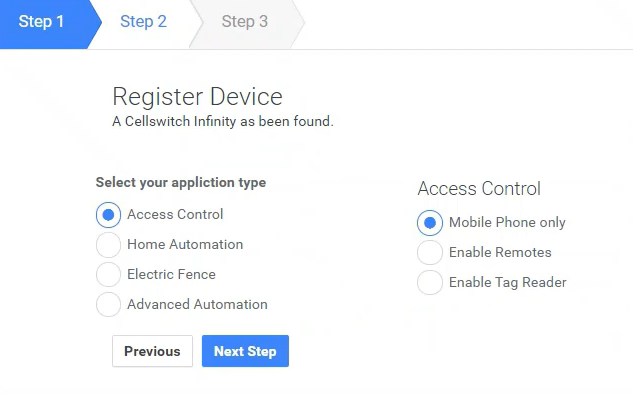
| After you have selected the device application you will be navigated to “Manage your New Device” |
| Here you will be able to do the further setup of your device with full access to all settings. |
